


Products Description
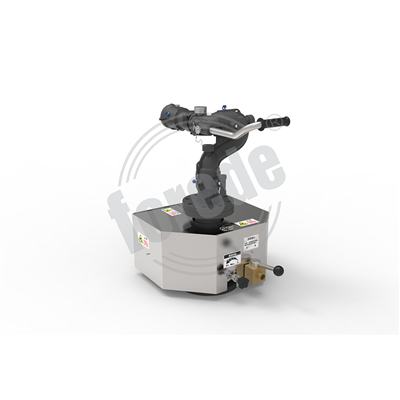
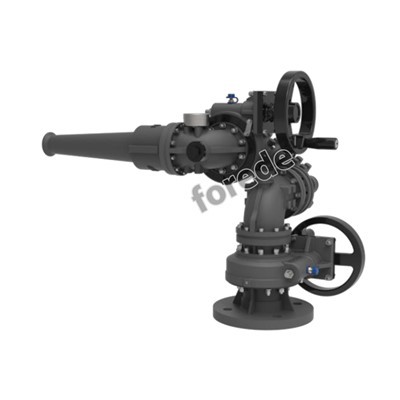
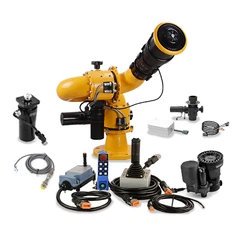
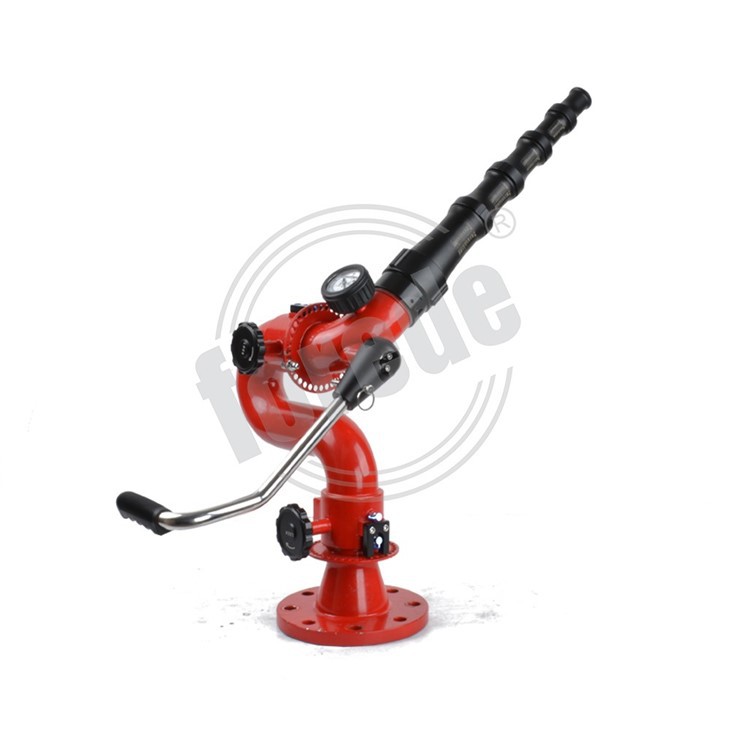
Stack Tips Fire Water Monitor
**Model:** TFS1.AZ4
- **Flow Rate:** 1200 LPM to 3000 LPM
- **Working Pressure:** 0.8 MPa
- **Max Working Pressure:** 1.6 MPa
- **Throw Range (Water):** ≥ 70 meters – ensuring extensive reach for maximum protection
- **Horizontal Angle:** 0° to 330° (customizable for specific site requirements)
- **Elevation Angle:** -45° to +75° (angle adjustable to meet diverse operational needs)
- **Waterway Size:** 2.5" (DN65mm)
- **Outlet:** 2.5" NH
- **Inlet:** 3" / 4" BS4504 PN16 flange, with customization options available
Built with precision engineering and high-quality materials, the Stack Tips Fire Water Monitor offers excellent flow control and directional flexibility. Its customizable angles and robust construction allow firefighters to swiftly and accurately target critical areas, maximizing firefighting effectiveness and safety.


Products Detailed
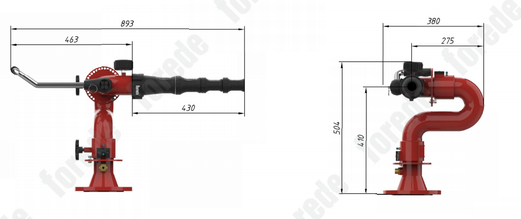

Technical Parameter
How to Use the Stack Tips Fire Water Monitor?
### 1. Installation and Setup
- **Mount Securely:** Install the monitor on a stable base or mounting platform that can support its weight and the forces during operation.
- **Connect Water Supply:** Attach a compatible hose or pipeline to the 3''/4'' BS4504 PN16 flange inlet, ensuring all connections are tight and leak-proof.
- **Check Waterway and Outlet:** Ensure the 2.5'' NH outlet is unobstructed for smooth water discharge.
### 2. Operation Preparation
- **Inspect the Monitor:** Before operation, confirm that all moving parts including the horizontal and elevation angles are functioning correctly and freely.
- **Set the Angle:** Adjust the horizontal angle between 0° and 330° to target the desired fire area. Similarly, set the elevation angle between -45° and +75° to optimize the throw range.
- **Pressure Settings:** Confirm the water supply pressure is within the working range (ideally 0.8 MPa) but never exceeding the maximum working pressure of 1.6 MPa.
### 3. Starting the Monitor
- **Activate Water Flow:** Slowly open the water supply valve to begin water flow into the monitor.
- **Control Stream:** Utilize the angle controls to direct the powerful water stream precisely where it is needed most.
- **Adjust Flow Rate:** Regulate the volume within the range of 1200 to 3000 LPM for effective fire suppression.
### 4. Monitoring and Adjustments
- **Maintain Visual Contact:** Continuously observe the monitor to ensure the water stream remains steady and on target.
- **Fine-Tune Angles:** Adapt horizontal and elevation angles as needed to optimize coverage.
- **Pressure Check:** Regularly verify pressure levels to maintain safe and optimal performance.
### 5. Shutting Down
- **Gradual Closure:** Slowly close the water supply valve to avoid pressure shocks.
- **Secure Monitor:** Return the monitor to a neutral or safe resting position.
- **Clean and Inspect:** After use, rinse the monitor if possible, inspect for any wear, and ensure it is ready for the next deployment.
|
Model |
TFS1.AZ4 |
|
Flow Rate |
1200LPM-3000LPM |
|
Working Pressure |
0.8 MPa |
|
Max Working Pressure |
1.6 MPa |
|
Throw Range(water) |
≥ 70 m |
|
Horizontal Angle |
0°~330° (angle customized) |
|
Elevation Angle |
-45°~+75° (angle customized) |
|
Waterway Size |
2.5'' (DN65mm) |
|
Outlet |
2.5'' NH |
|
Inlet |
3''/4'' BS4504 PN16 Flange, others customized |
Application Area

Rescue Services

Residential Buildings

Industrial Settings

Public Space
Frequently Asked Questions
Q: Can I choose the specifications of the fire monitor?
Q: How to Use Fire Monitor?
Q: Can the Monitor Head of the Fire Monitor Be Replaced?
Q: What Are the Flange Standards for Fire Monitors?
forede® Fire Monitor System Series







forede® Main Products


How to contact us?
Our address
Nan'an City, Quanzhou City Fujian PRC-china
Phone Number

Hot Tags: stack tips fire water monitor, China, manufacturers, suppliers, wholesale, price, Water Monitor Fire Fighting, Industrial Fire Monitors, Manual Water Cannon, Fire Fighting Water Cannon, Fixed Fire Monitor, Fire Water Monitor Fire Fighting